
Meme Generator
Create custom memes with multiple text layers, built in templates, font controls, sticker overlays, and Impact style text. Download and share in seconds.
Drag & drop, browse, or paste (Ctrl + V)
Upload images using your preferred method
📋 Paste image directly from clipboard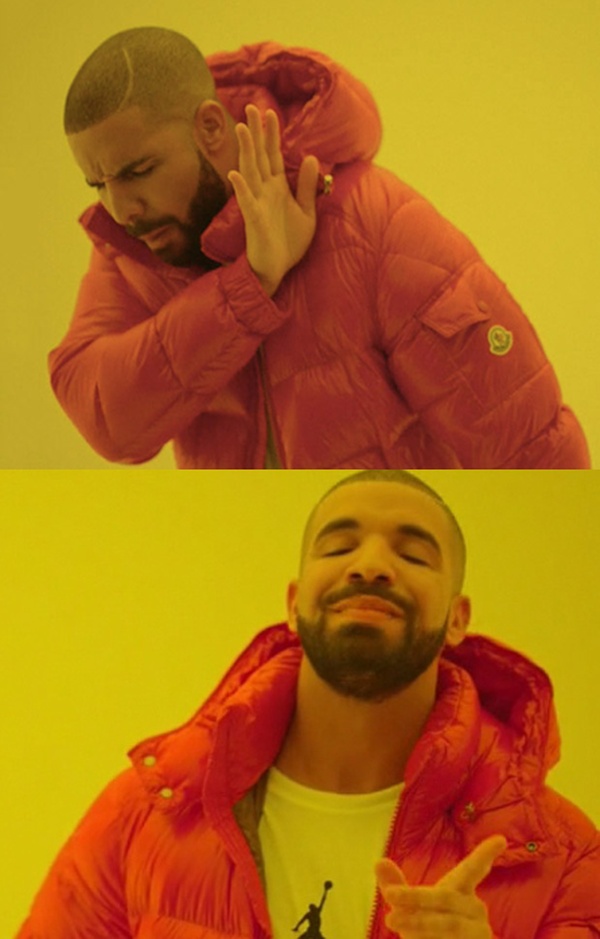


No images uploaded yet
Configure parameters and upload photos on the left to start editing.
How to Use Meme Generator
Choose a Template or Upload Your Own Image
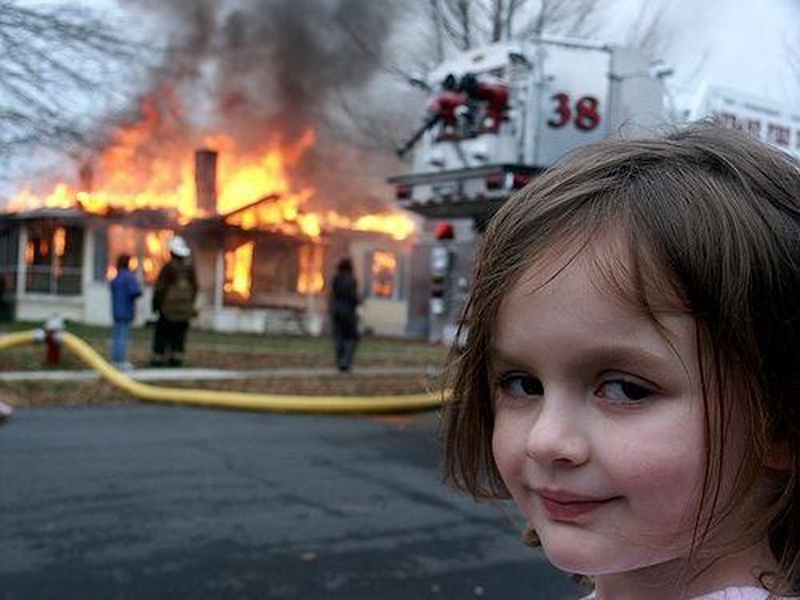
Select one of the four built in meme templates (Drake, Disaster Girl, Change My Mind, Two Buttons) or upload any image of your own from your device.
Add and Edit Text Boxes
Click 'Add Text Box' to add a new text layer. Drag it to any position on the image. For each text box, set the font (Impact is the default), size, fill colour, outline colour, and opacity.
Customise Further
Add more text layers for multi caption memes. Toggle Bold, Italic, or CAPS mode. Add image sticker overlays by clicking 'Add Image Overlay'. Enable Drop Shadow for classic meme contrast.
Download Your Meme
Click Download to export the finished meme as a JPG. Share directly to social media, messaging apps, or use in presentations.
What is Meme Generator?
Meme Generator is an online utility designed to help you process meme generator tasks directly in your web browser. Operating with speed and accuracy this tool eliminates the need for software installation or account registration allowing you to complete your tasks easily.
Key Features
Features
-
-
-
- World Use Cases
-
-
-
-
- and Security
-
Your privacy remains protected during your session. Data processing occurs in your local browser runtime keeping your information confidential without cloud storage.
Meme Generator and Related Tools
Meme Generator is tailored specifically for meme generator tasks offering streamlined performance focused on user ease.
Bookmark this utility for instant access
Press Ctrl + D (or ⌘ + D on Mac) to save this page to your bookmarks bar.
Frequently Asked Questions
Four classic templates are pre loaded: Drake (the 'pointing/rejecting' format), Disaster Girl, Change My Mind, and Two Buttons. You can also upload any image as a custom template.
Impact is the default font, which is the traditional meme typeface. You can also choose from Arial, Montserrat, Comic Sans MS, and Inter for different visual styles.
Yes. Click 'Add Text Box' to add as many text layers as needed. Each layer has independent settings for font, size, colour, position, rotation, and opacity. This allows complex multi caption formats.
Yes. Click 'Add Image Overlay' to upload a PNG file (such as a logo, sticker, or reaction image) and place it anywhere on the meme display screen. Multiple image overlays can be added.
Per text box: font family, font size (via slider), fill colour (via colour picker), outline/stroke colour, outline width, opacity, rotation angle, Bold toggle, Italic toggle, CAPS toggle, text alignment (left, centre, right), and optional drop shadow. You can create very polished designs with these controls.
The meme is downloaded as a JPG file. JPG is the most compatible format for sharing memes across social media, messaging apps, and email.
That depends on the source image. Meme templates using copyrighted photos may not be usable commercially. Images you own or that are in the public domain are safe. The tool itself imposes no restrictions on use.
An initial connection is needed to load the page and optionally fetch built in template images. Once loaded, the meme creation and display screen rendering work entirely in your browser. Downloading the finished meme does not require any further network activity.
You can upload image files up to 20MB as your source. The output meme is generated from the display screen dimensions of the uploaded image, so the output resolution matches your source image.
Yes. Meme creation runs entirely in your browser using the display screen API. Your uploaded image is not sent to any server. If you use the built in templates, those images are loaded from an external CDN (memegen.link).